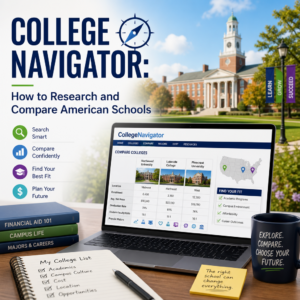
College Navigator: How to Research and Compare American Schools
College Navigator makes it easier to cut through college search confusion by putting trusted, side-by-side school data in one place. Whether you’re comparing tuition, graduation rates, or campus size, it helps you make a smarter, more confident decision.
By: Jennifer Collins on August 3, 2026
Anúncios
Choosing a college is one of the biggest decisions many students and families make, and the process can feel overwhelming fast. Between tuition, programs, location, graduation rates, and campus life, there’s a lot to sort through. That’s where College Navigator becomes especially useful. Built by the National Center for Education Statistics, this free tool helps you research and compare American schools using official data in one place.
If you’re trying to narrow down college options, verify school facts, or compare institutions side by side, College Navigator can save time and reduce guesswork. In this guide, you’ll learn how to use College Navigator effectively, what data it offers, and how to compare colleges in a way that supports a smarter decision.
Anúncios
What Is College Navigator?
College Navigator is a free online college search tool from the U.S. Department of Education’s National Center for Education Statistics (NCES). It pulls together data reported by schools and federal education sources, giving users a straightforward way to explore colleges and universities across the United States.
The tool is especially helpful because it focuses on verified, comparable information such as:
Anúncios
Tuition and fees
Admission rates
Enrollment size
Graduation rates
Student demographics
Financial aid
Campus housing
Programs offered
Unlike college marketing pages, College Navigator presents standardized data that makes it easier to compare schools objectively.
Why College Navigator Matters in the College Search
A college website can tell you a lot, but it often highlights the best parts of the school. College Navigator adds balance by giving you a broader picture.
It helps you compare schools fairly
When schools present information differently, comparisons get messy. One college might list cost before aid, while another emphasizes scholarships. College Navigator organizes data in a consistent format, making side-by-side comparison much easier.
It supports smarter financial decisions
College costs vary widely, and sticker price is only part of the story. College Navigator helps you look at:
In-state and out-of-state tuition
Average net price
Financial aid trends
Loan and grant information
That can help you understand what you may actually pay, not just what a school advertises.
It gives you a reality check
College Navigator can help confirm whether a school is a strong match for your goals. For example, you might learn that a college has:
A smaller student body than expected
A lower graduation rate than similar schools
Fewer programs in your intended major
Limited on-campus housing
That doesn’t automatically rule a school out, but it gives you useful context.
How to Use College Navigator Step by Step
Using College Navigator is simple once you know where to look. The tool is designed for students, parents, counselors, and anyone researching higher education options.
1. Start with a basic school search
You can search by school name, city, state, or program type. If you already have a list of colleges, this is the fastest way to begin.
You can also filter by:
Public, private nonprofit, or private for-profit status
Two-year or four-year schools
Degree level offered
Geographic region
If you’re just starting out, try searching broad categories first and then narrow your options.
2. Review the school profile carefully
Each school profile contains several sections. Don’t just skim the first page. Take time to review the following:
Admissions data: acceptance rate, test score ranges, and application details
Cost information: tuition, fees, and estimated net price
Financial aid: average aid awards and percentages of students receiving aid
Enrollment: full-time and part-time student numbers
Campus setting: urban, suburban, or rural
Degree programs: what the school offers and where it may be strongest
This helps you move from general impressions to facts.
3. Compare multiple schools side by side
One of the most useful features of College Navigator is the comparison tool. Select a few schools and compare key data in the same view.
When comparing, focus on categories that matter most to you, such as:
Total cost after aid
Graduation rate
Student-to-faculty ratio
Program availability
Campus size and location
This can reveal meaningful differences quickly. A school with a lower sticker price may not be the best value if it offers little financial aid. Another school may cost more but offer stronger student support and a better graduation rate.
4. Use the data as a starting point, not the final answer
College Navigator provides valuable facts, but it does not measure everything. You’ll still want to research:
Campus culture
Student support services
Internship access
Club and extracurricular opportunities
Academic fit for your intended major
Safety and transportation options
Think of College Navigator as a trusted foundation for your research, not the whole picture.
Key Data Points to Compare on College Navigator
If you want to use College Navigator effectively, know which numbers matter most. Some data points are more helpful than others depending on your goals.
Tuition and net price
Tuition is important, but net price often tells a more realistic story. Net price is the estimated cost after grants and scholarships, though your actual cost can still vary.
Look at:
In-state tuition
Out-of-state tuition
Tuition for part-time or full-time enrollment
Average net price by income range, when available
Graduation and retention rates
A school’s graduation rate can give you clues about student success and institutional support. Retention rate, which shows how many students return after the first year, can also be informative.
These numbers may suggest:
How well the school supports students
Whether students are staying engaged
How likely students are to finish their degree
Admissions selectivity
College Navigator often includes acceptance rate and test score ranges. These figures help you understand how competitive a school is and whether it may be a reach, match, or likely option.
Student population
Enrollment data can tell you a lot about the campus experience. Consider:
Total enrollment
Undergraduate versus graduate population
Full-time versus part-time students
Gender breakdown
Racial and ethnic diversity
A large university can offer more resources and activities, while a smaller school may offer a more personal environment.
Programs and majors
If you already know your academic interests, check whether the school offers strong programs in that area. College Navigator lets you review fields of study and degree offerings.
This is especially important if you’re interested in specialized areas like:
Nursing
Engineering
Education
Business
Computer science
Liberal arts
Campus housing and setting
Living on campus can affect your daily routine, cost, and social experience. College Navigator shows whether housing is available and whether the school is urban, suburban, or rural.
That information helps you think through questions like:
Will I need a car?
Do I want a walkable campus?
Is this a commuter school or residential campus?
How to Compare American Schools Effectively
Research becomes easier when you compare schools using a clear framework. Don’t try to measure everything at once. Instead, focus on what matters most to your goals.
Build a shortlist of 3 to 5 schools
Too many options can create decision fatigue. Start by selecting a manageable group of colleges based on your priorities.
For example:
One or two reach schools
One or two match schools
One likely or safety school
This gives you a balanced list without losing focus.
Compare schools by category
Use the same categories for each school so your comparison stays fair.
A simple comparison framework might include:
Cost
Academic fit
Campus size
Location
Graduation rate
Student support
Housing availability
Match the school to your personal priorities
A school can look excellent on paper and still be the wrong fit. Ask yourself what matters most.
For example:
If affordability is your top concern, focus on net price and aid.
If academic reputation matters most, examine admissions selectivity and program offerings.
If you want a close community, compare enrollment size and student-to-faculty ratio.
If you want flexibility, look at majors, online options, and part-time enrollment.
Read beyond the headline numbers
A low acceptance rate or high tuition doesn’t tell the whole story. Dig deeper into trends and patterns.
For instance:
A school with a higher price tag may offer strong aid packages.
A large university may still provide small honors programs or learning communities.
A less selective school may have strong outcomes in a specific major.
Practical Example: Comparing Two Schools
Suppose you’re deciding between a large public university and a smaller private college.
Using College Navigator, you might find:
The public university has lower in-state tuition but a larger student body
The private college has a higher sticker price but more generous average aid
The public university offers your major and many related programs
The private college has smaller class sizes and on-campus housing
That information helps you ask better questions:
Which school is more affordable after aid?
Where will I get more support?
Which campus environment do I prefer?
Which program better matches my career goals?
This kind of comparison is far more useful than judging schools by name recognition alone.
Common Mistakes to Avoid When Using College Navigator
College Navigator is powerful, but it works best when used thoughtfully.
Relying on one data point
Don’t choose a school based only on tuition, graduation rate, or size. Each number tells only part of the story.
Ignoring your personal needs
A school may look great statistically but may not fit your learning style, budget, or location preference.
Forgetting to verify current details
Even though College Navigator uses official data, always double-check application deadlines, program changes, and aid deadlines on the school’s website.
Comparing schools with different missions
A community college and a research university serve different purposes. Compare schools within the right category so the data makes sense.
How College Navigator Fits Into a Broader College Search
College Navigator works best alongside other research tools. Use it to confirm facts, then explore deeper.
A strong college search process usually includes:
College Navigator for official data and comparison
School websites for admissions requirements and program details
Campus visits or virtual tours for firsthand impressions
Net price calculators for cost estimates
Student reviews and counselor input for perspective
This blended approach gives you a more complete view of each school.
Frequently Asked Questions
1. Is College Navigator free to use?
Yes. College Navigator is completely free. It is a public resource provided by the National Center for Education Statistics, so anyone can access it without creating an account or paying a fee.
2. How accurate is the information on College Navigator?
College Navigator uses official data reported by colleges and federal education sources. That makes it a reliable starting point for research. Still, details like program offerings, tuition, and deadlines can change, so it’s smart to confirm current information directly with the school.
3. Can I compare community colleges and universities on College Navigator?
Yes, but you should compare them carefully. Community colleges and universities have different missions, costs, and degree structures. College Navigator can still help you review tuition, enrollment, programs, and outcomes, but make sure you compare schools that fit your goals.
4. Does College Navigator show financial aid information?
Yes. College Navigator includes information about financial aid, such as the percentage of students receiving aid and average aid amounts. This can help you estimate affordability, though your personal aid package may differ based on your financial situation.
5. What is the best way to use College Navigator in the college search process?
The best approach is to use College Navigator early in your search to build a shortlist and compare key facts. Then combine it with school websites, campus visits, and financial aid tools to make a more informed final decision.
College Navigator gives students and families a practical, trustworthy way to research and compare American schools. Instead of relying on marketing language or scattered search results, you can use official data to look at tuition, financial aid, graduation rates, enrollment, housing, and academic offerings in one place. That makes it easier to build a college list that fits your budget, goals, and preferences.
The most effective college search combines facts and personal fit. Use College Navigator to narrow your options, then dig deeper into each school’s programs, campus culture, and support services. When you compare schools with a clear framework, you make a more confident and informed choice.
Whether you’re just beginning your search or finalizing a shortlist, College Navigator can help you ask better questions and avoid costly assumptions. A thoughtful research process now can lead to a better college experience later.
Jennifer, M.Ed., holds a degree in Higher Education Administration, with
a focus on U.S. college financial aid, admissions policy, and student
support systems. She researches and writes about scholarships, federal
aid programs, and the college planning process to help students and
families make informed, well-supported decisions.